Submissions
Submitting creates a permanent copy of the project, circuit, assignment version, test version, and grading seed. Editing the project afterward cannot change that submitted attempt.
Submit from the assignment workspace
Section titled “Submit from the assignment workspace”Open Assignments → Open workspace, finish editing and check the account save status. Choose Submit work in the Assignment panel. The latest changes are saved before submission. After acknowledgement, the action changes to Resubmit work; another click creates another attempt, subject to the assignment’s open/closing dates and attempt limit.
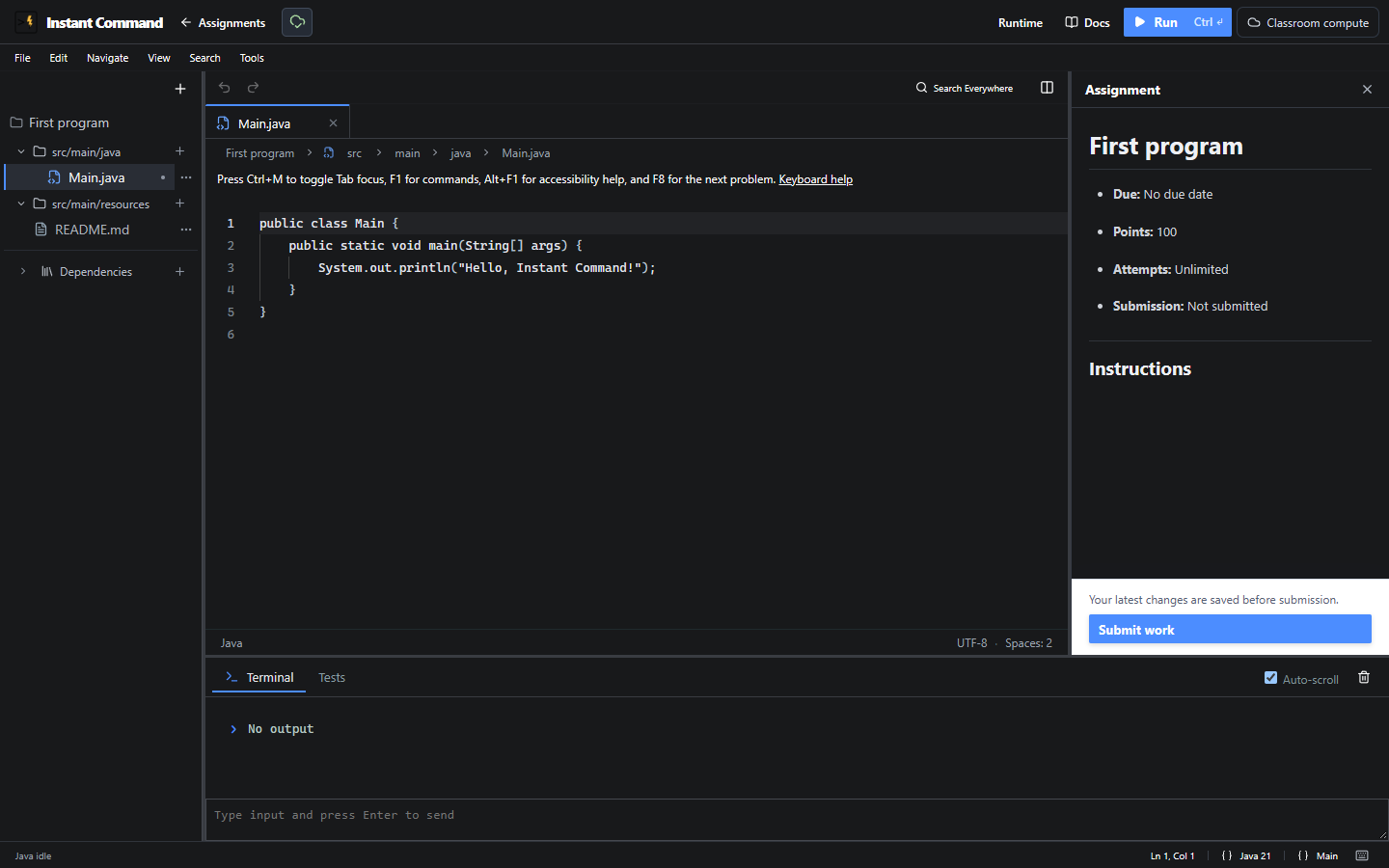
The IDE controls reference explains the visible editor, save and runtime controls.
| Control | Effect / conditions |
|---|---|
| Submit work | Saves current changes and creates the first immutable attempt. Disabled when closed or saving. |
| Resubmit work | Creates another attempt; it does not replace an earlier snapshot. |
| Assignment panel | Displays instructions and permitted status/feedback; teacher-only material is excluded. |
| Assignments / Class back link | Returns to the owning assignment list or class. |
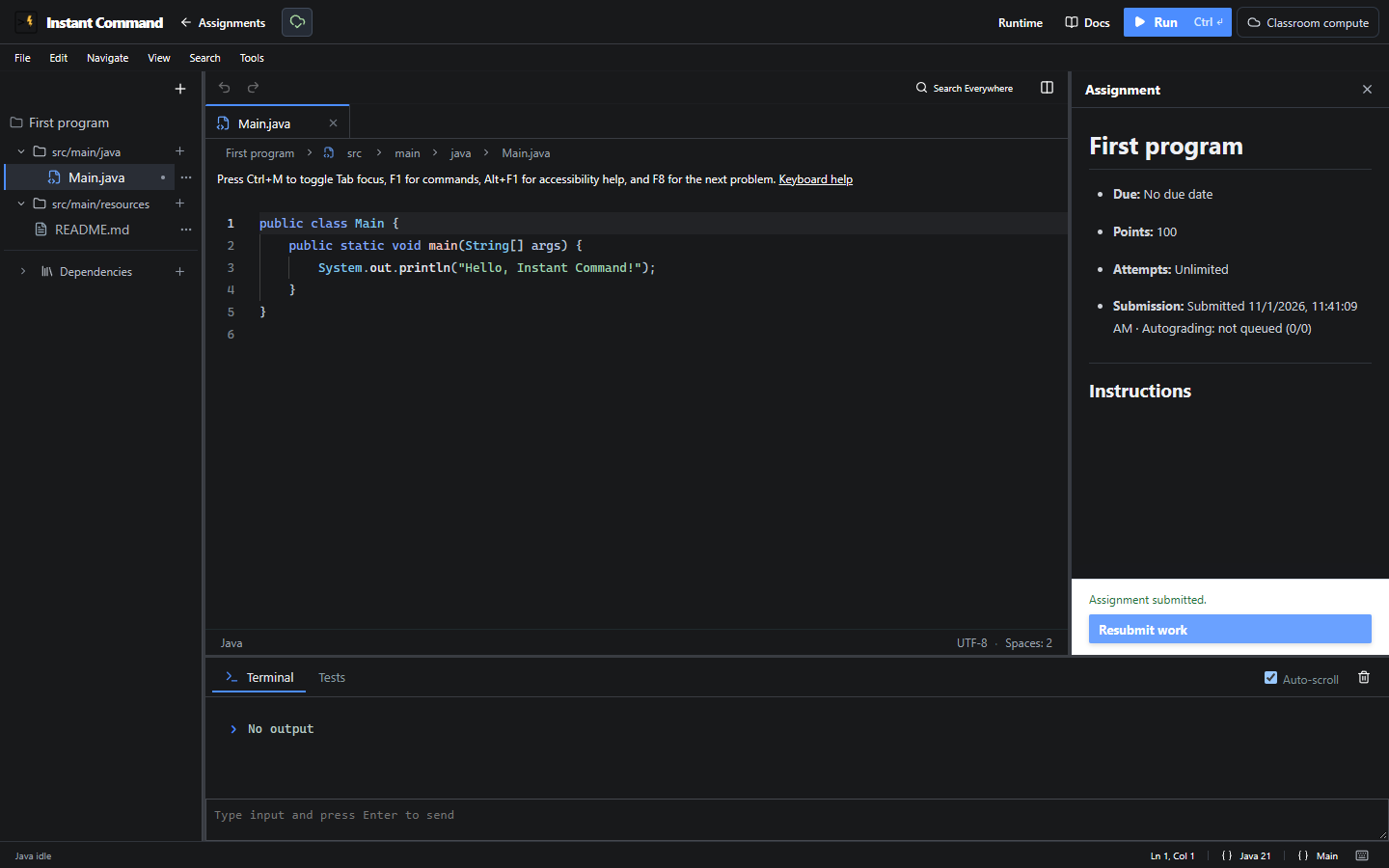
A submission acknowledgement is not a completed automatic score or a published final grade.
Grading and feedback
Section titled “Grading and feedback”When an assignment has automatic tests, its status moves through:
- Queued
- Compiling
- Checking project structure
- Running tests
- Calculating score
- Complete or Needs review
Students see the current stage and test count. Public results can appear before a final grade is published; hidden and instructor-only checks never reveal their names, expected values, or failure details. Results marked after-due or after-publish appear only when that condition is met.
An automatic score is preliminary. The teacher can review evidence, apply rubric items, override a score with a recorded reason, and publish the final grade separately.
Resubmitting creates another immutable attempt and queues that new version. It does not rewrite the earlier snapshot. A teacher can request a regrade of the current attempt. By default it reuses the saved source, test bundle, versions and seed. An explicit current-test regrade must preserve the frozen rubric links and execution family; it does not rewrite the submitted source snapshot.