Code editor
Opening a project loads its active file. The explorer on the left opens other files. The middle area contains editor tabs; the lower panel contains terminal, build, serial, or test output. Microcontroller projects also show Hardware.
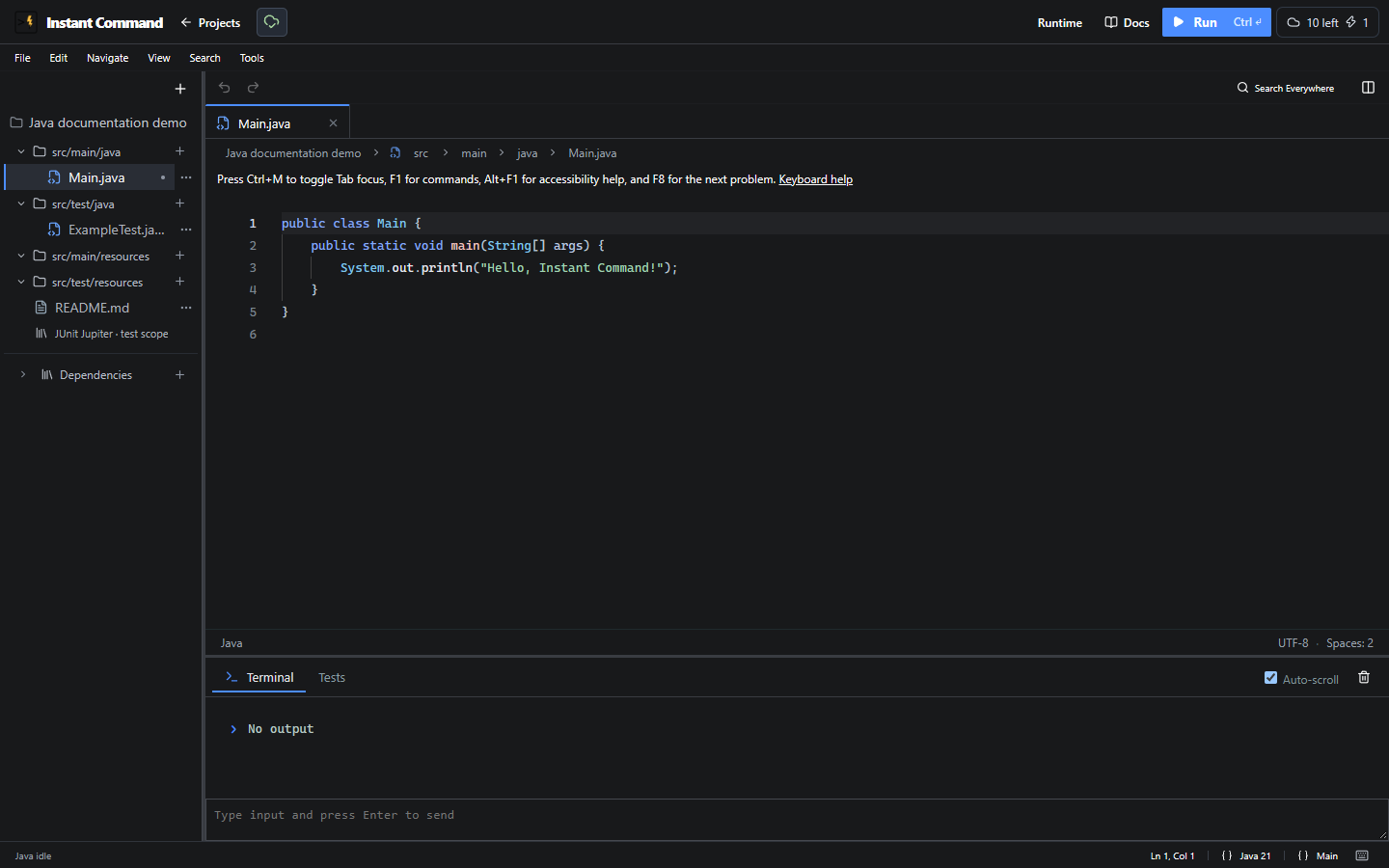
The IDE controls reference explains the toolbar icons, menus, tabs, resize handles, navigation commands and runtime actions visible here. Files and explorer covers add-menu choices and file actions.
Edit and navigate
Section titled “Edit and navigate”Java starters open src/main/java/Main.java. Arduino opens a named .ino sketch; ESP32 starters also have config.h, while UNO starts with a small serial program. ESP-IDF uses a CMake project structure.
Use Quick Open File for filenames, Search Everywhere for files/symbols/commands, and Find in Files (Text Search) for source text. Preview selected file previews without opening a tab; Open file or Enter commits. Escape cancels. Semantic navigation depends on the language and resolved symbol; unavailable actions explain why a destination cannot be found.
Split editor opens the active file in another group. Drag a tab toward a split destination to create another group. The same file can appear in multiple groups without creating a second project file. Closing a tab keeps edits; Reopen Closed Tab opens it again.
Preferences and keyboard use
Section titled “Preferences and keyboard use”Open Tools → Open Editor Settings for project/editor preferences. Editor color lab… changes theme colors across projects. Changing appearance does not run code. Unused symbol dimming is disabled.
Press Ctrl+M to toggle whether Tab leaves the editor, F1 for editor commands, Alt+F1 for editor accessibility help, and F8 for the next active-file problem. Keyboard Shortcuts shows and edits workspace bindings. See Accessibility and preferences.
Save and run
Section titled “Save and run”Personal and student assignment workspaces save automatically to the account. The save icon reports account saving and browser recovery separately. Confirm Saved to account before leaving important work; Save and recover explains pending saves, failures and competing copies.
Choose Run to execute. Microcontroller Build compiles without starting a new simulation. Runtime output and source diagnostics are different views: a program that prints nothing can still compile successfully. See Build and run and JUnit.