Join a class
Ask your teacher for the current Join code. Sign in with a Student account, open Classes, and choose Join class. Enter the 12-character code, with or without the displayed grouping dashes, and choose Join class in the dialog.
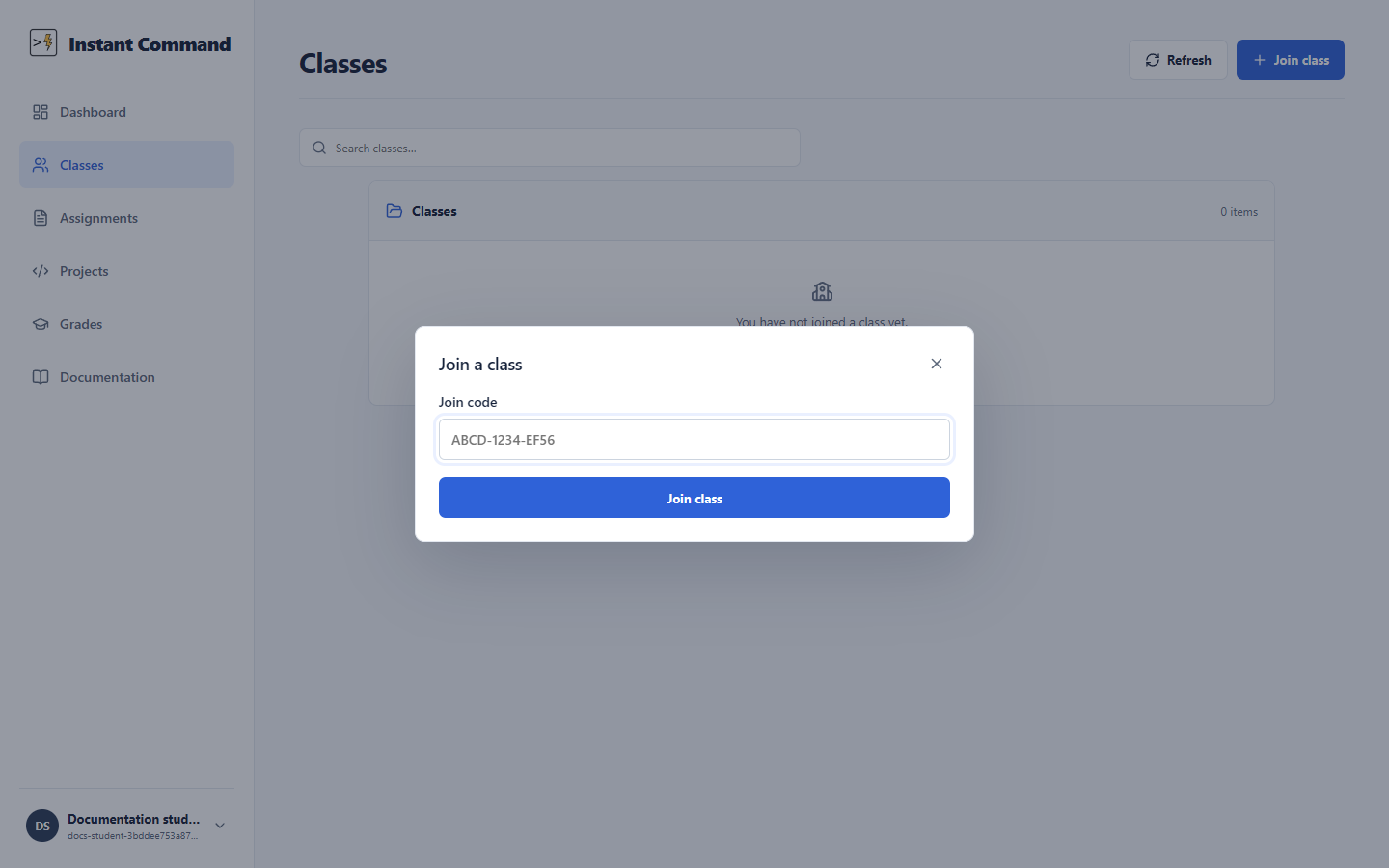
| Control | Action |
|---|---|
| Join code | Enter the teacher’s current code. No code is included in this example image. |
| Join class | Validates the code and enrolls the signed-in Student account if permitted. |
| Close dialog | Cancels without enrolling. |
After joining, open the class to find its work. Your Assignments page also lists class assignments that are available to you. If a code is rejected, check that it is complete and current; ask the teacher to confirm the code shown for that class. A Solo account cannot join a class.