Java JUnit tests
Project JUnit tests check your Java code. They provide development feedback; they do not replace the teacher’s authoritative assignment tests or control hidden-test disclosure.
Enable tests
Section titled “Enable tests”Choose Enable JUnit testing during Java project creation, or open Tools → Open Editor Settings → Java project settings → Testing → Enable JUnit later. The Tests panel also offers Enable JUnit… when testing is off.
Enabling configures src/test/java and src/test/resources and adds ExampleTest.java when no Java tests exist. It reuses configured roots without moving/overwriting production sources. Later settings changes do not recreate a deleted example. Save to your account before remote discovery/execution.
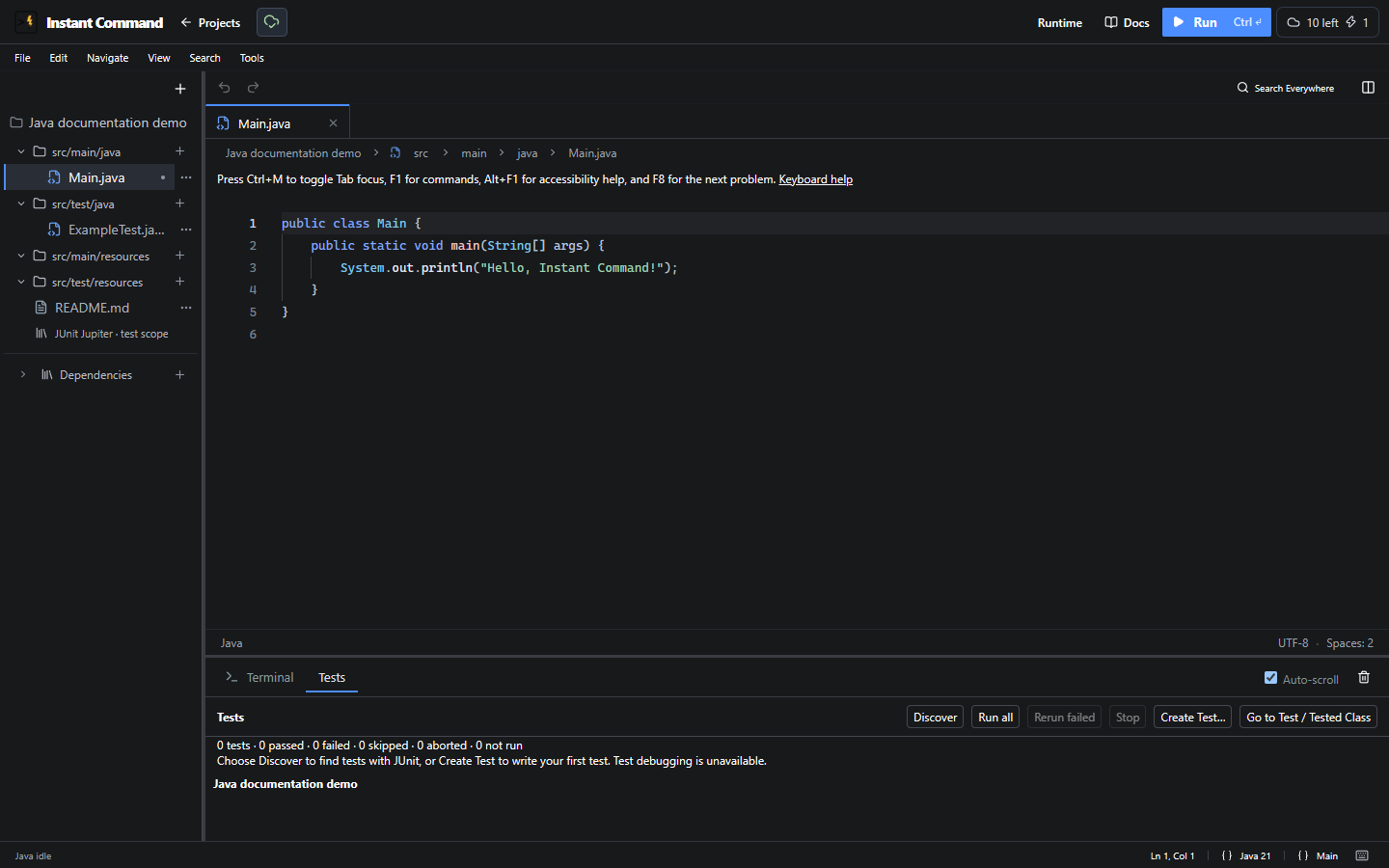
Controls and results
Section titled “Controls and results”| Control | Action | Availability and result |
|---|---|---|
| Tests | Opens the Java test panel. | Java workspace. |
| Discover | Requests discovery from the real JUnit Platform. | Browsing files does not start a JVM. Disabled while busy/running. |
| Run all | Compiles/runs project tests in a server session. | Requires enabled testing and a saved project. |
| Rerun failed | Runs failed test IDs. | Disabled while busy, for stale results, or when none failed. |
| Stop | Cancels test discovery/execution. | Active test operation only. |
| Create Test… | Creates a package-mirrored skeleton or opens the existing test. | Editable Java source; generated skeletons fail until real assertions are written. |
| Go to Test / Tested Class | Navigates by package and filename conventions. | Chooser for ambiguous matches. |
| Run package / class / method | Runs the selected discovered scope. | Uses real IDs, including dynamic and parameterized tests. |
| Result row | Shows status, duration, output and available assertion details. | Source links open the failing location. |
Editing source/configuration marks previous results stale. Discover/run again. A completed session may contain failed assertions. A missing worker, compilation failure or discovery error is a separate outcome; missing results are not passes.
Normal Run compiles production sources only. Tests compile separately with managed test-only JUnit dependencies. The supported matrix is Java 21, Jupiter 5.13.4 and Platform 1.13.4. Matching test resources override production resources during tests.
Start with the generated @Test example, change an assertion, run again and inspect details. Results remain in the mounted workspace/session. Durable test history, coverage and test debugging are unavailable. The captured panel verifies setup, not successful remote test execution in every deployment.
Related: Java projects, IDE controls, Automated grading.